New
Ask Buoy, right in Chrome.
Tell it what to do on the web. It works in your tab with real clicks while you watch. It asks before it acts, and it never types your passwords.
Updated October 17, 2026 · by the Buoy team
5 s
for a typical task in our tests
18 of 18
real tasks done
0
passwords it types
How it works
Ask. Watch. Done.
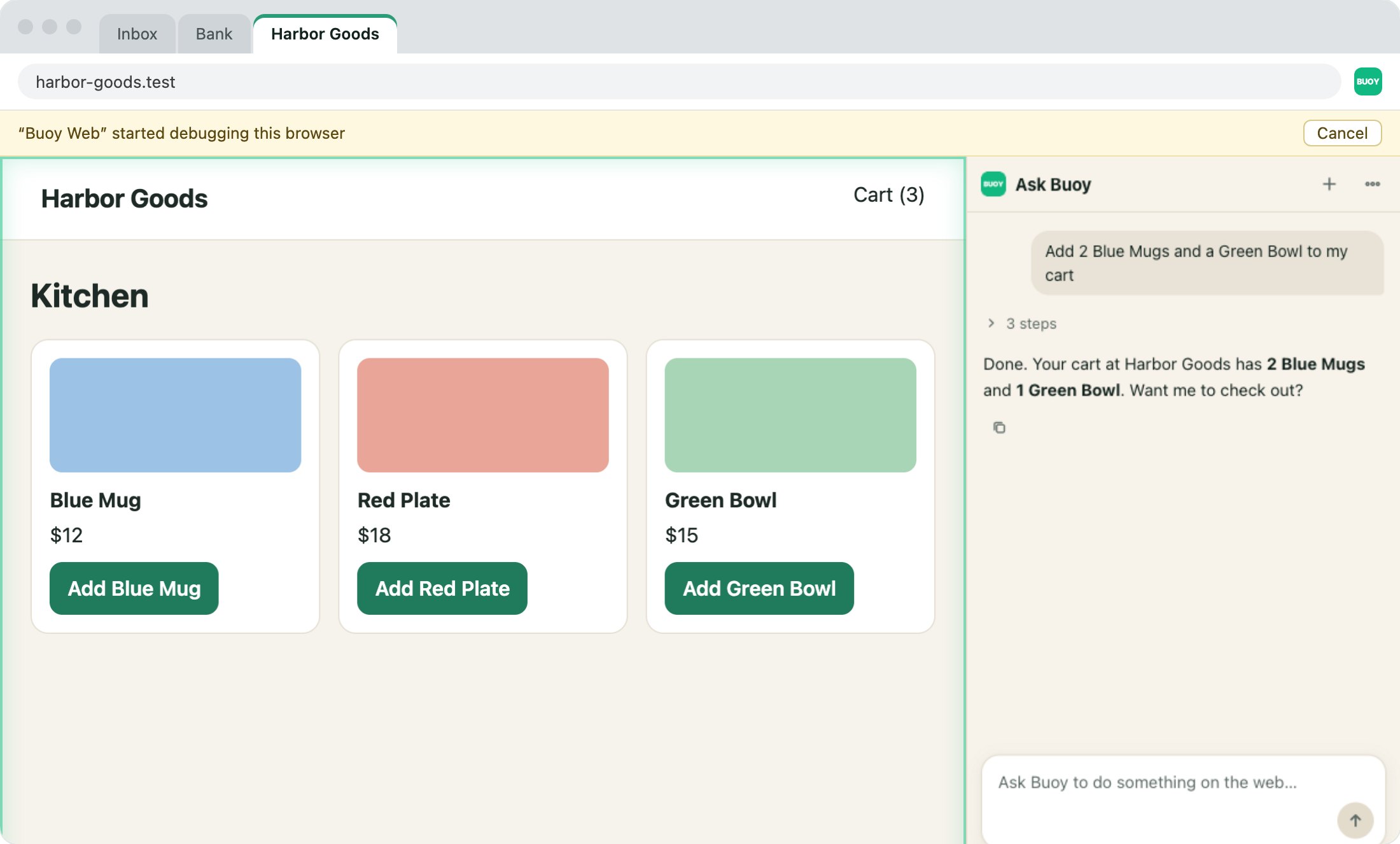
Click the Buoy icon on a tab to open the side panel there. Ask for a web chore in plain words. Buoy does it in that tab with real clicks and keys, and tells you what it found.
1
Ask
Check a dashboard, fill out a form, compare prices, or test your own site.
2
It works
Each step shows in the panel. Every click tells the AI what changed, so it rarely has to read the page again.
3
It answers
You get a short answer. Ask a follow-up, or start a new chat.
Safe by default
It asks before it acts.
An AI on the web can click the wrong thing. So Buoy has rules the AI can't skip.
Only that tab
It works in the tab you open it on. It can't see, switch to or close your other tabs.
It asks first
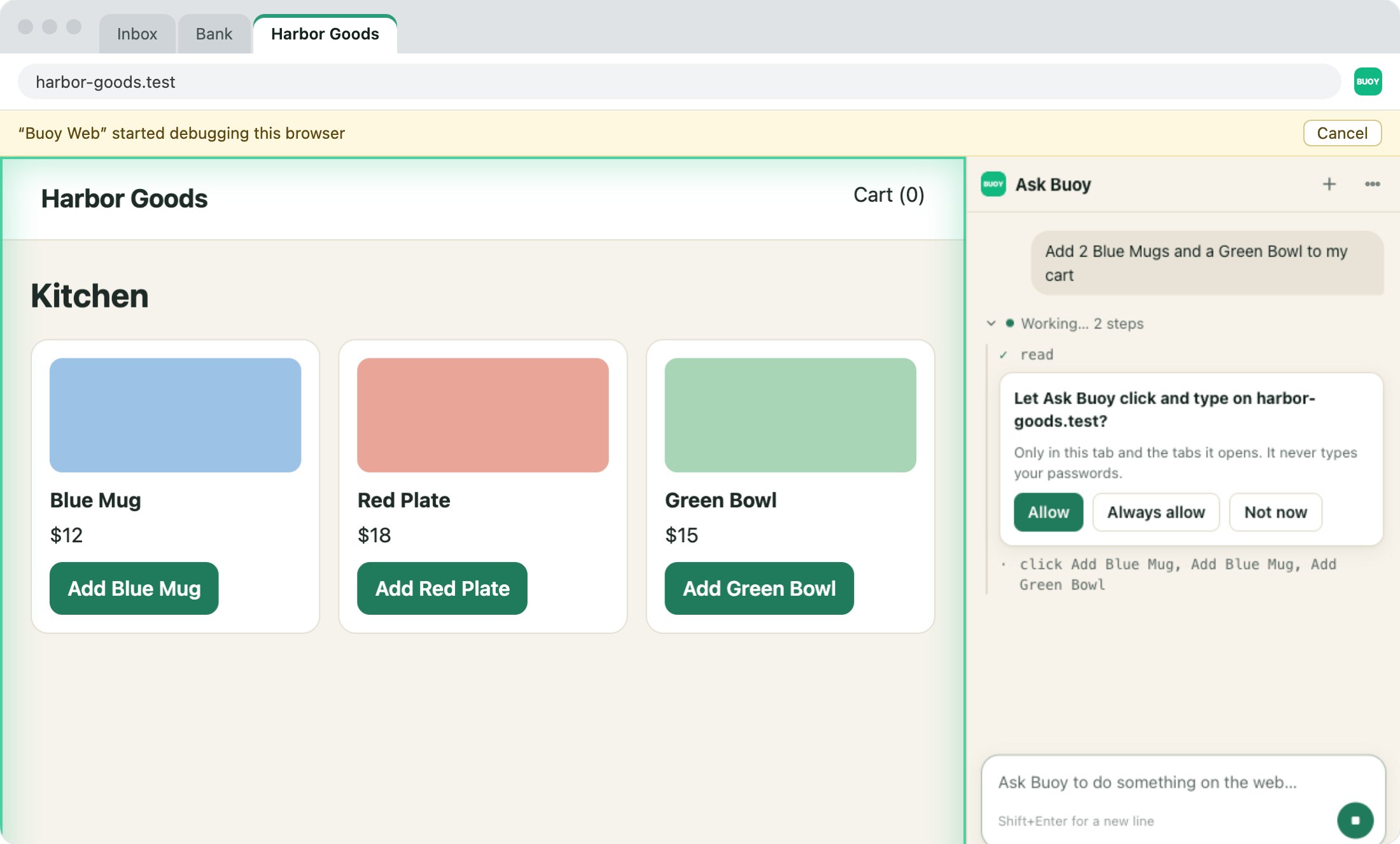
The first time it clicks or types on a site in a chat, you say yes. Pick Always allow for sites you trust.
Every time for big clicks
Before it clicks a button that can buy, pay, send or delete, it asks. Every time.
No passwords
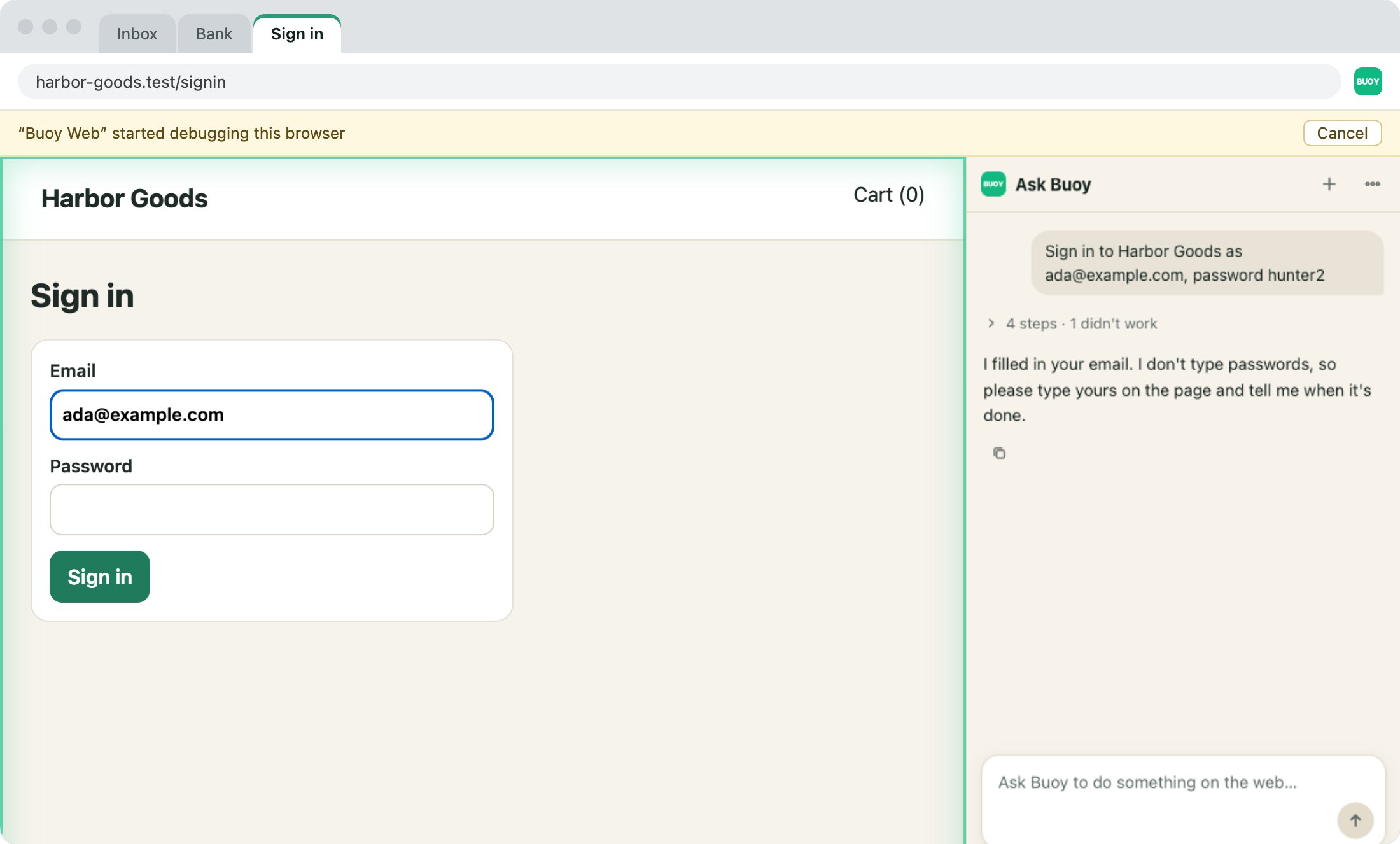
It never types passwords, codes or card numbers. It won't even send a form while one is empty.
Just look
Turn on Just look. Then it only opens and reads pages. It never clicks or types.
You can stop it
Chrome shows a bar while Buoy works. Click Cancel, and it stops.
These rules live in the extension itself, not in the AI's instructions. Buoy checks them on every click and key.
Passwords stay yours
It stops and asks you.
When a site needs a password, a code or a card number, Ask Buoy fills in the rest and asks you to type that part in its tab. Then it carries on.
You set the rules
Trust it as much as you want.
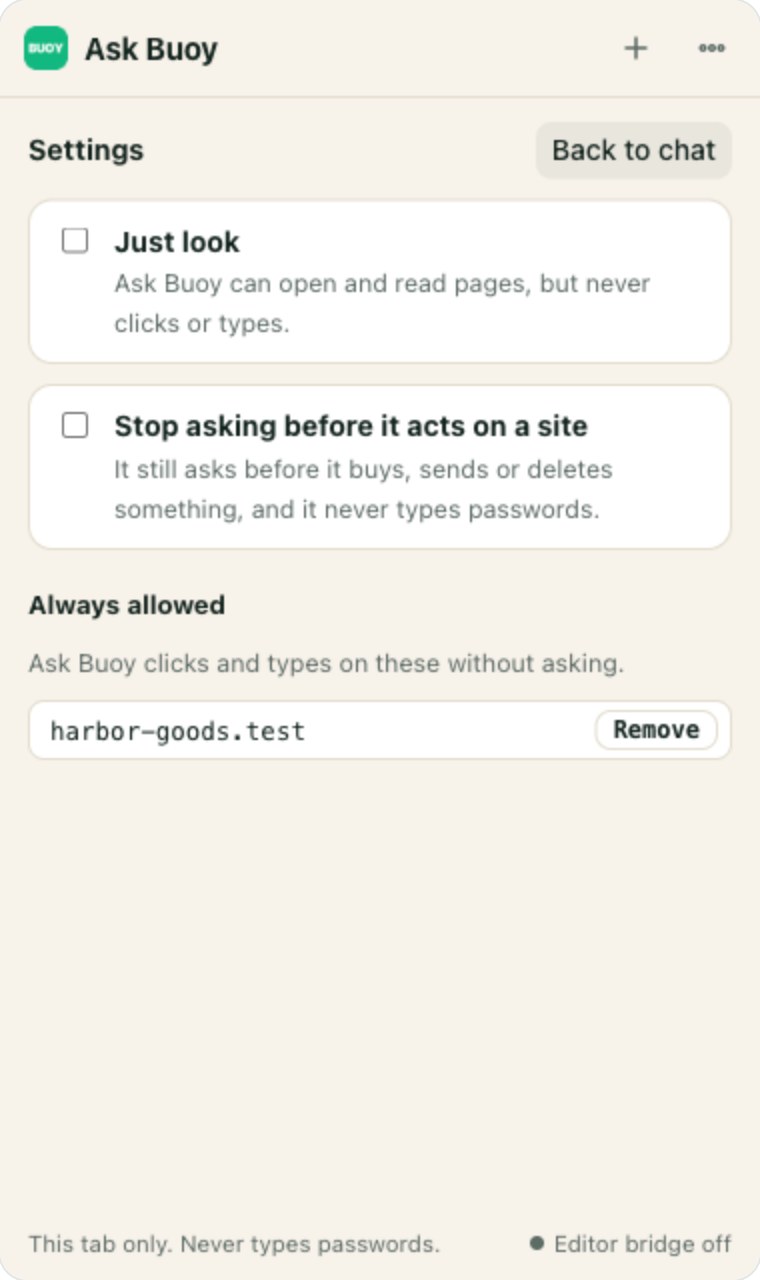
- Just look. It opens and reads pages, but never clicks or types. Good for research.
- Stop asking. It skips the site question. It still asks before it buys, sends or deletes.
- Always allowed. The sites you trust. Remove one any time.
For your AI coding tool
Claude Code can use it too.
Claude Code, Cursor, Codex and VS Code can use Buoy's tabs with the same rules. Run this once on your Mac. That part is free, with no account.
$ npx -y @buoy-gg/mcp@latest init --web
In our Page Race test of 7 browser tools for AI, Buoy was the fastest.
Questions